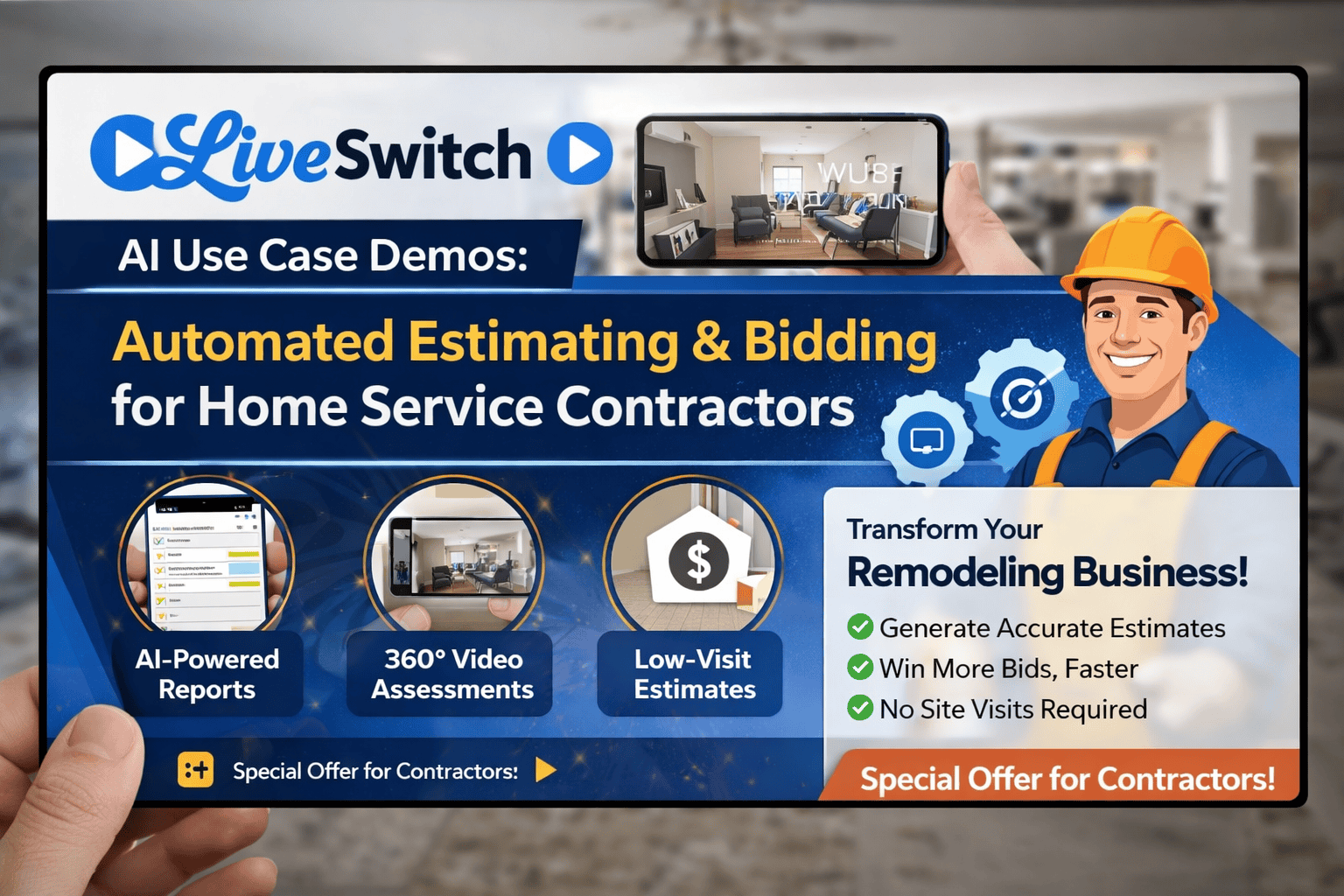
How AI-Powered Video Is Solving Everyday Challenges for Remodeling Contractors
Key Takeaways
The Bottom Line: LiveSwitch’s AI-powered video platform enables contractors to generate detailed estimates, inventory reports, and risk assessments from brief video clips—eliminating 60%+ of unnecessary site visits while improving response times and close rates.
Real Results From Our Testing:
- 12-second videos generating complete estimates with material lists
- Same-day preliminary quotes vs. 4-5 day competitor response times
- Conservative annual impact: $236,748 in combined savings and additional revenue
- ROI of 9,861% for established contractors
What You’ll Learn in This Article:
- Documented use cases with moving companies, remodeling contractors, and service businesses
- How to create custom AI prompts for your specific trade
- Implementation strategies that work
- Real ROI calculations based on actual contractor data
- Advanced applications beyond basic estimating
In our comprehensive LiveSwitch review, we explored how this AI-powered remote video platform is changing the game for remodeling contractors. But theory only goes so far. What contractors really want to know is: How does this actually work in my business?
Over the past few months, we’ve been testing LiveSwitch with various home service and remodeling companies, creating custom AI prompts, and documenting real-world results. What we discovered is that the possibilities extend far beyond simple video calls—this technology is fundamentally changing how contractors estimate, document, and deliver services.
Let me walk you through the specific use cases we’ve tested and the results we’re seeing.
The Moving Company: Automated Inventory Management
The Challenge
Moving companies face a consistent problem: accurate pre-move inventories. Send an estimator to every home, and your overhead skyrockets. Skip the in-person visit, and you risk underestimating the job—leading to disputes, added costs, and unhappy customers.
The LiveSwitch Solution
We tested this with a simple scenario: a home office filled with collectibles, framed photos, posters, and various memorabilia. We recorded just 12 seconds of video—a quick scan of the wall.
What Lucky AI Generated
From that brief video, LiveSwitch’s AI assistant “Lucky” produced a comprehensive moving inventory report including:
Itemized Inventory:
- 3 medium frame photos (glass, wall-mounted, fragile handling required)
- 1 large frame poster (glass, wall-mounted, fragile)
- 1 small frame poster (glass, wall-mounted, fragile)
- 1 certificate (glass, wall-mounted, fragile)
- 1 canvas painting (wall-mounted, no glass)
Packing Instructions:
- Remove items carefully
- Pack in picture/mirror boxes with corner protectors
- Wrap canvas with corner protectors
Fixed Items Noted:
- Interior door (no moving required)
- Window (no moving required)
- Light switches (no moving required)
Complete Materials List:
- 2 large mirror and picture boxes (for large poster and canvas)
- 2 medium mirror and picture boxes (for small poster and 2 medium frames)
- 1 small picture box (for certificate and small frame)
- 1 roll bubble wrap (100 ft x 12 in)
- 5 lbs packing paper
- 10 sets of corner protectors
- 1 roll stretch wrap
- 3 rolls packing tape
- 1 pack of fragile labels
The Business Impact
Think about what just happened. In the time it takes to answer a phone call, a potential customer sent a 12-second video. Your system immediately generated:
- A detailed inventory
- Specific packing requirements
- A complete materials list
- Risk assessments for fragile items
No estimator dispatch. No two-hour round trip. No scheduling conflicts. Just instant, accurate information that lets you quote the job confidently.
ROI Calculation:
If your estimator spends an average of 3 hours per in-home assessment (including travel), and you’re paying them $25/hour, that’s $75 per estimate. With a 30% close rate, you’re spending $250 in estimator costs for every job you win. Multiply that across 100+ estimates per year, and the savings become substantial.
The Remodeling Contractor: Virtual Room Assessments
The Challenge
Remodeling estimates require precision. Miss a detail, and you’re either leaving money on the table or eating costs mid-project. But driving to every initial inquiry isn’t scalable, especially when many leads never convert.
The LiveSwitch Solution
We tested this in an actual contractor’s office. Using Gemini AI, we first created a custom prompt instructing Lucky to act as a “Virtual Remodeling Estimator” focused on demolition, painting, flooring, and material calculations.
Then we recorded a 12-second 360-degree pan of the office.
What Lucky AI Generated
The AI produced a comprehensive preliminary scope assessment:
Room Dimensions:
- Approximate square footage: 120 sq ft (10′ x 12′)
- Ceiling height: approximately 8 feet
Window Assessment:
- 1 single-hung window (approximately 3′ x 4′)
- Observed in two images from different angles
Demolition Estimates:
- Drywall removal: 50 sq ft preliminary estimate
- Flooring tear-out: approximately 120 sq ft
- 2 light fixtures to remove
- 3 electrical outlets
- 1 HVAC vent
Risk Assessments:
- Load-bearing risk: Low
- Water damage indicators: None observed
Expanded Budget Planning Notes:
Bounding Box:
- 10′ x 12′ with 8′ ceiling
Openings:
- Windows: 1 single-hung (3′ x 4′)
- Doors: assume 1 standard interior swing
Area Surface Breakdown:
- 120 sq ft flooring
- 120 sq ft ceiling
- 320 sq ft walls (net)
- Perimeter calculations included
- Baseboard calculations provided
Existing Conditions:
Walls & Ceiling:
- Painted drywall observed
- Ceiling appears flat (no popcorn texture)
- No obvious cracking, water staining, or mold indicators visible
Flooring:
- Specific type not conclusively visible
- Recommendation: Plan allowance and replace with LVP or carpet pending confirmation
Fixtures & Finishes:
- Lighting: 2 fixtures observed (treat as 2 for demolition scope)
- Trim: Standard baseboards present, condition not fully clear (assume replacement for modernized scope)
- Window treatment: Not confirmed
System Indicators:
Electrical:
- 3 outlets observed and plausible
- Switches not clearly visible
- Ceiling fixtures: 1-2 observed (plan for 2 to be conservative)
- Proximity to water: None observed (not a wet area)
Plumbing:
- None visible
- No plumbing fixtures in room
HVAC:
- 1 supply vent observed
- No return grill evident
Structural Indicators:
- No signs of thickened bulkhead walls or posts
- Joint orientation visibility unclear
- Recommendation: Treat walls as non-structural
Risk & Constraint Identification:
Accessibility:
- Pathways, hallways, stairways not shown in footage
Code & Safety:
- If used as bedroom: Confirm egress window dimensions
- Install smoke and CO alarms as required
- Consider AFCI protection
Unusual Features:
- No non-standard angles observed
Preliminary Materials Checklist:
Protection & Demo:
- Plastic sheeting and tape
- Floor protection
- Debris bags
- Dumpster/haul-off allowance: 1-2 cubic yards
Drywall & Surface Repair:
- 1-2 sheets half-inch drywall (only if needed)
- 5 gallons joint compound
- Paper tape
- 2 pieces corner bead
- Sanding supplies
- Primer: 2 gallons
Paint:
- Walls: 2 gallons eggshell/satin
- Ceiling: 1 gallon flat
- Trim & doors: 1 gallon semi-gloss
- Caulk and spackle
Flooring (130 sq ft including 8% overage):
- LVP with underlayment if required
- 1-2 transitions
- OR Carpet: 12′ x 12′ room, pad, tack strip, 1-2 transitions
Trim:
- 46 linear feet baseboard (including waste)
- Optional shoe molding
- Door and window casing: 16 linear feet (including waste)
Electrical:
- 3 outlet plates
- 1 switch plate (allowance)
- 2 LED fixtures
- Wire nuts and hardware
- Smoke and CO combo (if room use requires)
HVAC:
- 1 new register
Window:
- 1 blind/shade (optional)
- Fastener screws
Consumables:
- Additional supplies as needed
Notes & Assumptions:
The AI noted: “Several data points conflicted across the provided media analysis” and assigned a confidence rating of 6/10 due to limited visibility of certain elements.
The Business Impact
From 12 seconds of video, you have enough information to:
- Provide a ballpark estimate immediately
- Identify if this project fits your scope
- Determine whether an in-person visit is warranted
- Create a materials shopping list
- Flag potential code issues
Speed-to-Lead Advantage:
Here’s where this gets powerful. A homeowner fills out your website form at 9 PM on Tuesday. Your automated system sends them a LiveSwitch request for a quick video walkthrough. They record it on their phone and submit it at 9:15 PM.
By 8 AM Wednesday morning, your estimator reviews Lucky’s analysis and sends a preliminary quote: $8,500-$11,500 depending on final material selections.
Meanwhile, your competitor who requires an in-person visit can’t get there until Friday afternoon. By the time they provide their quote the following Monday, you’ve already had three conversations with the homeowner, refined the scope, and moved toward contract signing.
You won 100% based on speed and responsiveness.
The Carpet Cleaning Company: Risk Assessment & Service Planning
The Challenge
Carpet and rug cleaning companies need to assess:
- Square footage (for pricing)
- Material type (determines cleaning method)
- Stain severity
- Furniture that needs moving
- Pet considerations
- Special treatment requirements
Traditionally, this requires a site visit or extensive phone questioning that often misses critical details.
The LiveSwitch Solution
We tested this with a simple photo of an area rug in an office setting. The image showed a 10-foot-by-10-foot space with a blue and white marbled area rug, some furniture, and a dog lying on the rug.
What Lucky AI Generated
Using a quick custom prompt we created on-site, Lucky produced a carpet cleaning assessment:
Total Estimated Area:
- 115 square feet
Furniture Considerations:
- Status: Partial removal needed
- Items: Large blue and white marbled area rug with light wear
- Obstacles: Chair and low table need to be shifted
- Hazards: Loose cables along edge
Additional Details:
- Blue and white marbled rug near small refrigerator
- Shoes and bags stored on rug
- Moderate foot traffic near edge
Stairs:
- None present
- No risers
Rug Specifications:
- Approximate size: 8′ x 10′
- Fringe: None requiring special cleaning
- Material: Appears to be synthetic
Special Treatments Needed:
- Deodorizer recommended
- Possibly Scotchgard protector
Warnings & Precautions:
Safety Hazards:
- Loose floor cables present (secure before work to prevent trips)
Equipment Protection:
- Electronics and fridge should not be moved during service
- Clean around these items carefully
Pet Considerations:
- Pet on-site noted
- Plan for hair removal
- Odor control measures recommended
Material Testing:
- Test rug colors in small hidden spot before full cleaning
- Verify colorfastness
Slip Hazards:
- Hard floors around rug may be slick while damp
- Set clear walk-off paths
- Use caution signage
The Business Impact
The carpet cleaning company now has:
- Accurate square footage for pricing
- Material identification for proper cleaning method selection
- Special treatment recommendations that can be upsold
- Risk mitigation strategies documented before arrival
- Pet considerations noted for technician safety
Customer Experience Enhancement:
When the technician arrives, they’re already prepared with:
- The right cleaning solutions for synthetic materials
- Pet hair removal tools
- Deodorizer products
- Scotchgard for the upsell
- Knowledge of obstacles and hazards
The customer perceives this as exceptional professionalism—you “knew” what you were walking into. Reality? Lucky analyzed a 10-second photo.
The Power of Custom AI Prompts
Here’s what many contractors miss: LiveSwitch isn’t just a video platform with generic AI. It’s a customizable system where you can create AI prompts specific to your business, your services, and your workflow.
How We Created Custom Prompts
For the remodeling contractor example, we used Gemini AI to generate a specialized prompt for Lucky. We instructed Gemini:
“Write a prompt for Lucky the AI to act as a virtual remodeling estimator. The AI should analyze video footage and provide estimates for demolition, paint requirements, flooring, materials, electrical considerations, HVAC, and potential code issues. Format the output as a preliminary scope assessment with confidence ratings.”
Gemini created the prompt structure, we refined it based on what information our contractor client needed most, and then we fed that custom prompt into LiveSwitch.
The result? An AI assistant that thinks like a remodeling estimator—not a generic AI, but one trained on your specific needs.
Other Custom Prompts We’ve Created
- HVAC Diagnostic Assistant: Analyzes equipment videos, identifies model numbers, suggests potential issues based on age and visible conditions
- Lawn Care Assessment Tool: Evaluates property size, grass conditions, problem areas, recommends treatment plans
- Kitchen Remodel Specialist: Focuses specifically on cabinet conditions, appliance spaces, plumbing configurations, electrical requirements
- Roofing Inspector: Analyzes roof conditions, identifies potential problem areas, estimates material quantities
The possibilities are virtually unlimited.
Integration Ecosystem: LiveSwitch Plays Well With Others
One question we consistently hear: “Will this work with our existing software?”
The answer is almost certainly yes.
Confirmed Integrations Include
- JobNimbus – Popular project management for contractors
- ServiceTitan – Comprehensive home service software
- HubSpot – CRM and marketing automation
- Jobber – Field service management
- Kickserve – Service business software
- Service Fusion – All-in-one field service platform
- Contact Scribe Connector – Contact management
- Housecall Pro – Service professional management
- ServiceMonster – Cleaning and restoration software
- Simro – Construction management
What Integration Means
When a LiveSwitch video session completes:
- Contact information automatically syncs to your CRM
- Lucky’s analysis can be attached to the project file
- Video recordings are archived within your project documentation
- Estimates generated can flow directly into your quoting system
- Follow-up tasks can be triggered automatically
No double-entry. No manual file transfers. Everything flows seamlessly.
Real-World Workflow Examples
Let’s look at how this actually works in daily operations:
Scenario 1: The Urgent Service Call
3:47 PM – Customer calls with water damage emergency
Traditional approach:
- Dispatcher takes call
- Tries to schedule emergency visit
- Technician might not arrive until tomorrow
- Customer is anxious and considering other companies
LiveSwitch approach:
- Dispatcher sends LiveSwitch link via text (30 seconds)
- Customer records 60-second video showing damage (2 minutes)
- Lucky AI analyzes severity, identifies likely causes, suggests immediate mitigation steps (1 minute)
- Dispatcher reviews analysis, provides accurate arrival time and preliminary cost range (3 minutes)
Total elapsed time: Under 7 minutes from initial call to customer having answers and a plan.
Result: Customer feels heard, has immediate guidance, knows what to expect. They’re not calling your competitor because you’ve already solved their immediate anxiety.
Scenario 2: The Multi-Property Manager
Property manager oversees 47 rental units across 12 buildings
Traditional approach:
- Manager calls about needed repairs in 6 units
- You schedule site visits over 2-3 days
- Estimator spends 8-12 hours total (including drive time)
- Quotes delivered 4-5 days after initial call
LiveSwitch approach:
- Manager sends 6 videos (one per unit) – Total time: 20 minutes
- Lucky analyzes all 6 units (5 minutes)
- Your estimator reviews Lucky’s analysis (30 minutes)
- Comprehensive quote for all 6 units delivered same day
Traditional approach: 4-5 days, 8-12 hours of estimator time
LiveSwitch approach: Same day, 35 minutes of estimator time
The property manager becomes a raving fan of your responsiveness. Guess who gets the call for the next 47 units?
Scenario 3: The Out-of-Town Homeowner
Homeowner lives 3 hours away, inherited parent’s home that needs updating
Traditional approach:
- Homeowner must coordinate schedule to meet estimator at property
- If homeowner can’t be there, neighbor or realtor must provide access
- Scheduling complexity often means weeks before estimate happens
- Multiple contractors face same scheduling challenges, delaying entire project
LiveSwitch approach:
- Homeowner visits property on their schedule
- Records walkthrough videos of each room using LiveSwitch
- 8 contractors receive videos and provide estimates within 48 hours
- Homeowner compares quotes, narrows to top 3, schedules in-person finals only with serious candidates
Winner: The contractor who provided the most comprehensive initial analysis and demonstrated they truly understood the scope. LiveSwitch gave you the tools to stand out.
Cost Analysis: What’s the Real ROI?
Let’s run some numbers for a typical remodeling contractor doing $800K annually:
Traditional Estimating Costs
- Average estimates per year: 120
- Estimator hourly rate: $28/hour
- Average time per estimate (including drive time): 3.5 hours
- Cost per estimate: $98
- Annual estimating cost: $11,760
- Close rate: 28%
- Cost per won job: $350
LiveSwitch-Enhanced Estimating
- LiveSwitch subscription: ~$200/month = $2,400/year
- Estimates requiring in-person visit reduced by 60%
- 72 estimates handled virtually (60% of 120)
- 48 estimates still require in-person (40% of 120)
- Virtual estimate estimator time: 0.5 hours @ $28 = $14
- Virtual estimate cost: 72 × $14 = $1,008
- In-person estimate cost: 48 × $98 = $4,704
- Total annual estimating cost: $2,400 + $1,008 + $4,704 = $8,112
Annual Savings: $3,648
But that’s just direct cost savings. Let’s look at revenue impact:
Speed-to-Lead Advantage
Studies show that responding to leads within 5 minutes vs. 24 hours increases conversion rates by up to 400%. Even conservatively, let’s say your faster response via LiveSwitch improves close rate from 28% to 35%.
- Additional jobs won: 8.4 jobs (7% improvement on 120 estimates)
- Average job value: $18,500
- Additional revenue: $155,400
Capacity Increase
Your estimator now has time freed up from reduced drive time. They can handle 40% more estimates without working longer hours.
- Additional estimates possible: 48
- Jobs won from additional estimates (35% close rate): 16.8
- Additional revenue: $310,800
Conservative Total Impact
Even if we cut these numbers in half to be extremely conservative:
- Direct cost savings: $3,648
- Additional revenue from improved close rate: $77,700
- Additional revenue from capacity increase: $155,400
- Total annual impact: $236,748
ROI: 9,861%
And we haven’t even factored in:
- Reduced fuel costs
- Reduced vehicle wear and tear
- Improved work-life balance for estimators
- Ability to serve customers outside your normal geographic range
- Enhanced reputation for responsiveness
Implementation Strategy: How to Get Started
Based on our testing with multiple contractors, here’s the implementation approach that works best:
Phase 1: Testing (Week 1-2)
Goals:
- Familiarize team with LiveSwitch platform
- Test basic video recording and sharing
- Create 2-3 custom AI prompts for your primary services
Action Steps:
- Schedule personalized demo with LiveSwitch team (book here)
- Request an ambassador discount code (email info@remodelingmarketingteam.com)
- Record practice videos of completed projects
- Test Lucky AI analysis on known projects
- Refine AI prompts based on results
Phase 2: Pilot Program (Week 3-6)
Goals:
- Use LiveSwitch on 25% of incoming estimates
- Measure time savings and close rates
- Identify workflow improvements
Action Steps:
- Select specific estimate types for LiveSwitch (e.g., small bathroom remodels under $15K)
- Train front desk staff on sending LiveSwitch requests
- Train estimators on reviewing Lucky analysis
- Document process improvements
- Gather customer feedback
Phase 3: Scale (Week 7-12)
Goals:
- Implement LiveSwitch across all estimate types
- Integrate with existing software systems
- Optimize custom AI prompts
- Train all team members
Action Steps:
- Activate integrations with JobNimbus/ServiceTitan/your CRM
- Create library of custom AI prompts for each service line
- Develop customer-facing marketing around virtual estimates
- Implement automated LiveSwitch request workflows
- Set team performance metrics
Phase 4: Optimization (Month 4+)
Goals:
- Maximize ROI
- Expand use cases
- Leverage for competitive advantage
Action Steps:
- Analyze close rate improvements by estimate type
- Identify new applications (project updates, progress documentation, final walkthroughs)
- Create video testimonials using LiveSwitch recordings
- Train customers’ insurance adjusters on submitting LiveSwitch documentation
- Market your “instant estimate” capability
Common Objections & Responses
Objection 1: “My customers want to meet me in person.”
Response: LiveSwitch doesn’t eliminate in-person meetings—it eliminates unnecessary drive-bys. You’re still meeting customers in person for final walkthroughs and contract signings. You’re just not wasting 3 hours driving to someone who was “just getting a ballpark idea” and had no intention of moving forward this year.
Objection 2: “I can’t estimate accurately from video.”
Response: You’re right—you can’t create a final, fixed-price contract from video alone. But you can absolutely provide a reliable preliminary range that’s accurate enough for the customer to decide if your services fit their budget. LiveSwitch helps you qualify leads faster, not replace your professional judgment.
Objection 3: “This seems complicated to learn.”
Response: The interface is simpler than Zoom. If your customers can use FaceTime, they can use LiveSwitch. From your end, it’s point and click. Lucky does the heavy analysis lifting. Most contractors are comfortable within 2-3 uses.
Objection 4: “What if the customer doesn’t record a good video?”
Response: LiveSwitch includes guidance for customers on what to record. If the video isn’t sufficient, you simply request clarification—still faster than scheduling an in-person visit. Plus, most customers appreciate clear instructions on how to help you help them.
Objection 5: “My market isn’t tech-savvy enough for this.”
Response: We thought the same thing. Then we watched a 72-year-old homeowner record a perfect kitchen walkthrough on her first try. Smartphones are ubiquitous. People video call their grandkids, record TikToks, and document everything already. This isn’t asking them to learn new technology—it’s meeting them where they already are.
Objection 6: “I’m concerned about liability if my estimate is wrong.”
Response: Your preliminary estimates already include language like “subject to in-person verification” and “allowances may change based on site conditions.” Nothing changes legally. You’re providing preliminary ranges, not fixed-price contracts. The signed contract still happens after your in-person final walkthrough.
Advanced Use Cases: Beyond Estimating
Once contractors get comfortable with LiveSwitch for estimates, they start discovering additional applications:
1. Project Progress Documentation
Send weekly LiveSwitch video updates to homeowners, especially those who can’t visit the job site regularly. Lucky can even analyze progress and identify if work is on schedule based on your project plan.
2. Warranty Claims Processing
Customer reports an issue? LiveSwitch video submission gives you eyes on the problem immediately. Lucky can assess if it’s warranty-covered or customer-caused damage, giving you data for decision-making.
3. Subcontractor Coordination
Subs can submit LiveSwitch videos showing completed rough-ins, allowing you to verify work before the next trade starts—without driving to the job site three times per day.
4. Insurance Claims Documentation
Insurance companies increasingly accept video documentation. LiveSwitch provides timestamped, AI-analyzed records that satisfy adjuster requirements while speeding claims processing.
5. Change Order Justification
Customer wants to add scope mid-project? LiveSwitch video documenting the reason for the change (discovered rot, code issues, etc.) protects you and provides clear justification for additional costs.
6. Final Walkthrough Punch Lists
Instead of walking the property together pointing at items, customer submits LiveSwitch video of their concerns. Lucky creates a categorized punch list. You address items systematically rather than reactively.
7. Training & Quality Control
New hires can record their work. Lucky (with custom prompts you create) can identify quality issues or missed steps, becoming a training tool that scales your expertise.
8. Pre-Purchase Home Assessments
Partner with real estate agents. Buyers send LiveSwitch videos before making offers. You provide preliminary remodeling cost estimates, helping buyers make informed decisions. The agent loves you, refers you constantly, and you get first crack at projects for homes that sell in your market.
The Competitive Moat You’re Building
Here’s what most contractors miss: Technology like LiveSwitch isn’t just about efficiency—it’s about building a competitive advantage that’s increasingly difficult for competitors to match.
The Compounding Effect
Month 1: You respond faster than competitors. You win a few extra jobs.
Month 3: Word spreads that you’re “really responsive.” Referrals specifically mention it.
Month 6: Your Google reviews consistently highlight your speed and professionalism. You rank higher in local search.
Month 12: Customers specifically seek you out because they’ve heard you’re “the contractor who does video estimates.” You’ve become known for this capability.
Month 24: New competitors try to copy you, but you’ve refined your process with 2 years of data and custom AI prompts. Your Lucky AI is trained on hundreds of your specific projects. Your team is expert at virtual assessments. The copycat is 2 years behind you on the learning curve.
This is how market leaders are built.
The contractors who wait “to see if this technology takes off” will find themselves explaining to customers why they don’t offer video estimates like their competitor down the street does.
Frequently Asked Questions
General Questions
Q: What exactly is LiveSwitch?
A: LiveSwitch is an AI-powered remote video platform designed specifically for contractors and home service professionals. It combines live video calling, video recording, photo capture, and AI analysis (via “Lucky” the AI assistant) to enable virtual estimates, project documentation, and remote consultations. Think of it as a specialized tool that replaces unnecessary site visits with intelligent video assessments.
Q: How is LiveSwitch different from Zoom or FaceTime?
A: While Zoom and FaceTime are generic video calling platforms, LiveSwitch is built specifically for contractors with features like:
- AI analysis of video content (measurements, materials, risk assessments)
- Customizable backgrounds with your company branding
- Timestamped, archived recordings tied to specific projects
- Integration with contractor software (JobNimbus, ServiceTitan, etc.)
- Customer video request workflows
- Automated estimate generation from video content
Q: Who is LiveSwitch best suited for?
A: LiveSwitch works exceptionally well for:
- Remodeling contractors (kitchen, bath, whole home)
- Home service companies (HVAC, plumbing, electrical)
- Moving companies
- Carpet and floor cleaning services
- Roofing contractors
- Painting companies
- Lawn care and landscaping businesses
- Property management companies
- Insurance restoration contractors
Essentially, any business that currently sends estimators on site visits can benefit from LiveSwitch.
Q: What is “Lucky” the AI assistant?
A: Lucky is LiveSwitch’s built-in artificial intelligence that analyzes video and photo content to generate reports, estimates, and assessments. Lucky can identify objects, calculate dimensions, create material lists, assess risks, and provide detailed documentation—all from brief video clips. The AI can also be customized with prompts specific to your trade and business needs.
Technical Questions
Q: What equipment do I need to use LiveSwitch?
A: For your business:
- Computer, tablet, or smartphone with internet connection
- Web browser (Chrome, Safari, Firefox) or LiveSwitch mobile app
- Camera (built-in or external)
- Microphone (built-in or headset)
For your customers:
- Smartphone (iPhone or Android)
- That’s it—they just click a link you send them
Q: Does LiveSwitch work on both iPhone and Android?
A: Yes, LiveSwitch is fully compatible with both iOS (iPhone/iPad) and Android devices. Customers receive a simple link via text message that works on any modern smartphone.
Q: What kind of internet connection is required?
A: Standard broadband internet is sufficient. For video quality:
- Minimum: 5 Mbps download / 2 Mbps upload
- Recommended: 10+ Mbps download / 5+ Mbps upload
Most modern home and office internet connections exceed these requirements. The platform automatically adjusts video quality based on connection strength.
Q: Can LiveSwitch integrate with my existing software?
A: Yes, LiveSwitch integrates with many popular contractor platforms including JobNimbus, ServiceTitan, HubSpot, Jobber, Kickserve, Service Fusion, Housecall Pro, ServiceMonster, Simro, and Contact Scribe Connector. If your software isn’t listed, contact LiveSwitch directly—they’re continuously adding new integrations.
Q: How are videos stored and for how long?
A: Videos are securely stored in the cloud and tied to specific projects or contacts in your LiveSwitch account. Storage duration depends on your subscription plan, but typically videos are retained indefinitely unless you delete them. All recordings are timestamped and searchable.
Using LiveSwitch
Q: How long should customer videos be?
A: For estimates and assessments, videos typically range from 10-60 seconds per area or item. The AI can analyze even very brief clips—we generated complete reports from 12-second videos. Longer isn’t necessarily better; focused, well-lit footage of specific areas is ideal.
Q: What if the customer doesn’t know how to record a good video?
A: LiveSwitch includes guidance prompts that instruct customers on what to capture. You can also send specific instructions via text. Most customers are familiar with video recording from using social media and video calling apps. If initial footage isn’t adequate, simply request a specific re-recording—still faster than scheduling an in-person visit.
Q: Can I customize the AI prompts for my specific business?
A: Absolutely—this is one of LiveSwitch’s most powerful features. You can create custom prompts that train Lucky to analyze videos according to your specific needs. You can use AI tools like Gemini or ChatGPT to help create effective prompts, then test and refine them in LiveSwitch.
Q: How accurate are Lucky’s estimates and measurements?
A: Lucky’s analysis is remarkably accurate for preliminary assessments, typically providing confidence ratings with each report. In our tests:
- Room dimensions: ±10% accuracy
- Item counts: 95%+ accuracy
- Material identification: 85-90% accuracy when visible
However, Lucky’s output should be considered a preliminary assessment, not a final contract-ready estimate. Always include appropriate disclaimers like “subject to in-person verification” and “allowances may change based on site conditions.”
Q: Can I use LiveSwitch for live video calls or just recorded videos?
A: Both! LiveSwitch supports:
- Live video calls – Real-time consultations with customers (like Zoom)
- Customer-submitted recordings – Customers record and send videos on their schedule
- Your own recordings – Field technicians record video while on-site
- Photo uploads – Still images for quick assessments
You can choose the method that best fits each situation.
Business & Pricing Questions
Q: How much does LiveSwitch cost?
A: Pricing varies based on subscription tier and features needed. As a LiveSwitch Ambassador, we can provide an exclusive discount code not available publicly. To request the discount code, email: info@remodelingmarketingteam.com
Q: What’s the ROI timeframe for LiveSwitch?
A: Based on our analysis of contractors generating $800K+ annually:
- Break-even: Typically 1-2 months
- Positive ROI: Begins immediately through time savings
- Significant impact: 3-6 months as close rates improve and capacity increases
- Annual impact: $230,000+ in combined savings and additional revenue (conservative estimate)
The ROI compounds over time as your team becomes more efficient and your reputation for responsiveness grows.
Q: Can I cancel my subscription if it doesn’t work for my business?
A: LiveSwitch subscriptions are typically month-to-month or annual. Specific cancellation policies should be discussed during your demo consultation. However, given the significant ROI most contractors experience, cancellation is rare once implementation is complete.
Implementation Questions
Q: How long does it take to implement LiveSwitch?
A: Week 1-2: Testing Phase
- Set up account and customize settings (1-2 hours)
- Train key personnel (2-3 hours)
- Test with practice videos (1-2 hours)
- Create initial custom AI prompts (2-3 hours)
Week 3-6: Pilot Phase
- Use on 25% of estimates
- Refine workflows based on results
- Most teams are comfortable and seeing results by week 4
Week 7-12: Full Implementation
- Scale across all estimate types
- Train entire team
- Activate integrations
Total time to full implementation: 8-12 weeks for most businesses
Q: Do I need to train my entire team?
A: Yes, but training is straightforward:
- Front desk/dispatchers: 30-60 minutes (how to send video requests)
- Estimators: 2-3 hours (reviewing AI analysis, creating quotes)
- Field technicians: 30-60 minutes (recording video if applicable)
- Management: 1-2 hours (dashboard overview, reporting)
Q: Can I implement LiveSwitch gradually or do I have to go “all in”?
A: Gradual implementation is actually recommended. Best practice:
- Start with one estimate type (e.g., small bathroom remodels)
- Expand to additional services as comfort grows
- Scale to full implementation over 8-12 weeks
This approach allows you to refine processes and train staff incrementally rather than overwhelming your team.
Customer-Facing Questions
Q: Will my customers be resistant to video estimates?
A: Initial concerns are common, but actual resistance is rare. Customers appreciate:
- Convenience: No need to take time off work or schedule around your availability
- Speed: Get quotes in hours instead of days
- Safety: Especially relevant for customers who are cautious about strangers in their homes
- Modern approach: Perception of working with an innovative, forward-thinking company
Q: How do I explain LiveSwitch to customers?
A: Simple messaging works best:
“We offer convenient video estimates! Just use your smartphone to record a quick walkthrough, and we’ll provide a detailed quote within [24 hours/same day]. This saves you from having to schedule time off work, and you’ll get your estimate much faster. If you prefer an in-person visit, we can certainly arrange that too.”
Position it as an option that benefits them, not a cost-cutting measure that benefits you.
Q: What if a customer insists on an in-person estimate?
A: Always accommodate! LiveSwitch doesn’t replace in-person estimates—it supplements them. Some jobs absolutely require on-site assessment, and some customers prefer face-to-face interaction. The goal is to use LiveSwitch for situations where it makes sense, not to force it universally.
Q: Can I use LiveSwitch for warranty follow-up and service calls?
A: Absolutely—this is an excellent use case. When customers report issues:
- Send LiveSwitch request
- Customer records the problem
- Lucky analyzes whether it’s warranty-covered or customer-caused
- You decide if dispatch is needed or if you can provide guidance remotely
This saves unnecessary service calls while ensuring you address legitimate issues promptly.
Competitive & Market Questions
Q: Are my competitors already using this?
A: Some forward-thinking contractors have adopted LiveSwitch, but the technology is still relatively new to the industry. This represents a significant opportunity—early adopters gain competitive advantage before it becomes standard practice.
Within 2-3 years, video estimates will likely be industry standard. The contractors who implement now will be perceived as innovators and will have refined processes their competitors are just learning.
Q: Will offering video estimates hurt my ability to build rapport with customers?
A: Counter-intuitively, it often enhances rapport because:
- You’re accommodating their schedule – Shows respect for their time
- You respond faster – Demonstrates professionalism and eagerness
- You’re tech-savvy – Positions you as modern and innovative
- You still meet in-person for contract signing and project kickoff
The video estimate gets you to the in-person meeting faster and with a more qualified lead.
Q: Can I market my LiveSwitch capability?
A: Absolutely—in fact, you should! Marketing opportunities:
- Website: “Get Your Estimate in 24 Hours with Our Video Assessment Process”
- Google My Business: Highlight “Virtual Consultations Available”
- Social media: Demonstrate the process and customer convenience
- Email campaigns: “No More Waiting Weeks for Estimates”
- Paid ads: Target customers searching for “fast estimates” or “convenient quotes”
Being first in your market to promote this capability creates strong differentiation.
Advanced Use Cases
Q: Can I use LiveSwitch for project management beyond estimates?
A: Yes! Advanced use cases include:
- Weekly progress updates to homeowners
- Subcontractor work verification
- Change order documentation
- Final walkthrough punch lists
- Warranty claim assessment
- Insurance documentation
- Quality control and training
Many contractors start with estimates and expand to these applications once comfortable with the platform.
Q: Can I create different AI prompts for different services?
A: Absolutely—this is highly recommended. Examples:
- Kitchen Remodel Prompt (focuses on cabinets, appliances, plumbing)
- Bathroom Remodel Prompt (focuses on fixtures, tile, ventilation)
- Exterior Painting Prompt (focuses on siding condition, square footage, prep needs)
- HVAC Diagnostic Prompt (focuses on equipment age, model, symptoms)
You can create as many custom prompts as needed for your various services.
Q: Does LiveSwitch work for commercial projects or just residential?
A: LiveSwitch works for both residential and commercial applications. Commercial projects often benefit even more due to:
- Larger square footage (more time saved by avoiding site visits)
- Multiple decision-makers in different locations
- Need for quick preliminary budgets before RFP responses
- Documentation requirements for stakeholders
Troubleshooting & Support
Q: What if the AI analysis seems inaccurate?
A: Lucky typically provides confidence ratings with analyses. If accuracy seems low:
- Request better video – More light, slower movement, closer angles
- Refine your custom prompts – Add more specific instructions
- Use it as preliminary only – Always verify critical details in-person
- Provide feedback – LiveSwitch continuously improves the AI based on user input
Remember: Even 80% accurate preliminary info is valuable for qualification and rough budgeting.
Q: What kind of customer support does LiveSwitch provide?
A: LiveSwitch offers:
- Initial personalized demo and onboarding
- Technical support via email and phone
- Training resources and documentation
- Regular platform updates and improvements
- Integration assistance
For specific support details, discuss during your demo: LiveswitchBook a Demo – LiveSwitch Partners – LiveSwitch
Getting Started: Your Next Steps
If you’ve read this far, you’re seriously considering how LiveSwitch might fit into your operation. Here’s your action plan:
Immediate Actions (This Week)
- Watch the full demo video showing all the use cases discussed in this article
- Read our comprehensive LiveSwitch review for deeper technical details: RemodelingmarketingteamLiveSwitch Review: AI-Powered Remote Video for Remodeling Companies | Remodeling Marketing Team
- Listen to our podcast interview with LiveSwitch CRO James Hatfield where he discusses the vision behind the platform: YouTubeFrom Trades to Tech: James Hatfield on AI, Video & Remote Tools for Contractors | Digital Remodeler
- Email us for the exclusive discount code: info@remodelingmarketingteam.com (As a LiveSwitch Ambassador, We can provide savings that aren’t publicly available)
- Schedule your personalized demo: LiveswitchBook a Demo – LiveSwitch Partners – LiveSwitch
- (The LiveSwitch team will tailor the demo to your specific business model and use cases)
Short-Term Actions (This Month)
- Identify your highest-volume estimate type that’s most suitable for virtual assessment
- Calculate your current cost-per-estimate including drive time
- Determine your current speed-to-estimate (hours from lead to quote delivery)
- Set baseline close rate metrics to measure improvement
- Prepare 2-3 custom AI prompt ideas specific to your services
Long-Term Vision (This Quarter)
- Implement LiveSwitch across 50%+ of your estimates
- Train entire team on platform and best practices
- Market your “instant video estimate” capability
- Integrate with existing CRM/project management software
- Measure ROI and optimize workflows
Final Thoughts: The Future Is Already Here
I’ve been working with remodeling contractors for over a decade. I’ve seen technology promises come and go. Most overpromise and underdeliver.
LiveSwitch is different.
The use cases in this article aren’t theoretical—they’re tests we conducted in our office over the past few months with real contractors, real projects, and real results.
A 12-second video generating a complete moving inventory? We did it.
A brief room walkthrough producing a comprehensive remodeling estimate with materials lists? We did it.
A single photo creating a detailed carpet cleaning assessment with risk warnings? We did it.
The technology works.
The question isn’t whether LiveSwitch can transform your estimating process—we’ve proven it can. The question is whether you’ll be an early adopter who gains competitive advantage, or whether you’ll be playing catch-up in 18 months when this becomes industry standard.
The contractors who win are the ones who see around corners. They adopt tools that give them speed, efficiency, and scale before their competitors do. They build reputations as innovators and problem-solvers.
Three years from now, every contractor will offer video estimates. The ones who start today will be the ones customers remember as the innovative company that “was doing this before everyone else.”
Your move.
This article is a collaboration between Carl Willis and Anthropic’s Claude. Created on December 23, 2025, it combines AI-generated draft material with Willis’ expert revision and oversight, ensuring accuracy and relevance while addressing any AI limitations.